
Video editor
Multi-track timeline, keyframes, transitions, auto captions, colour and fast MP4 export.
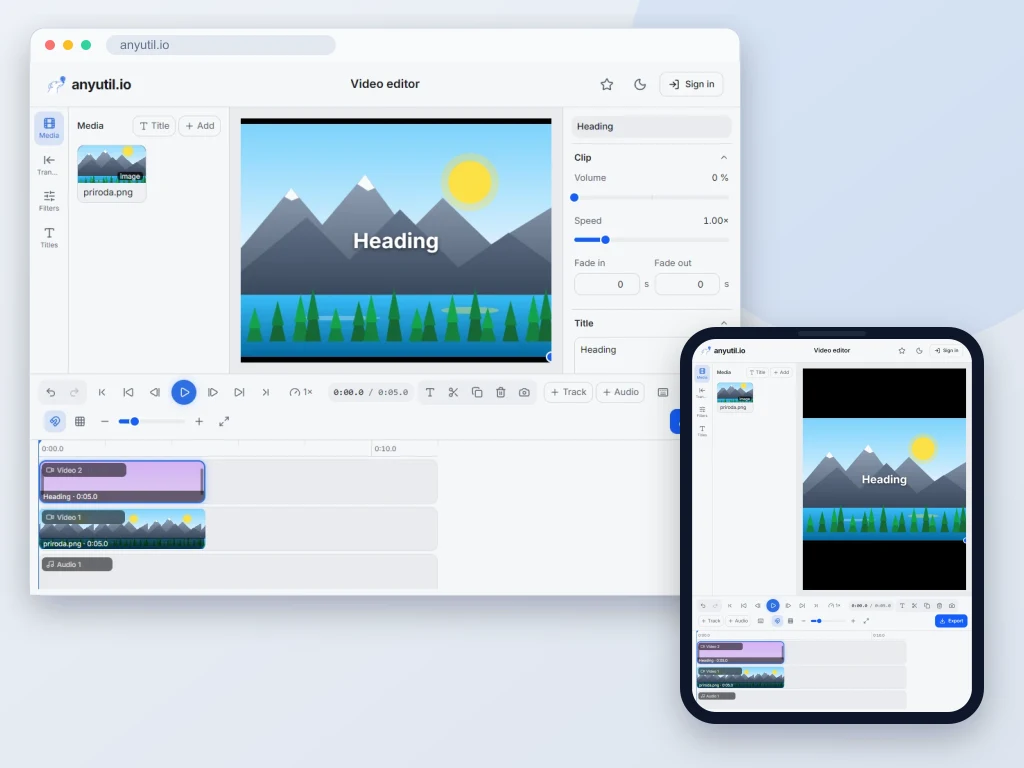
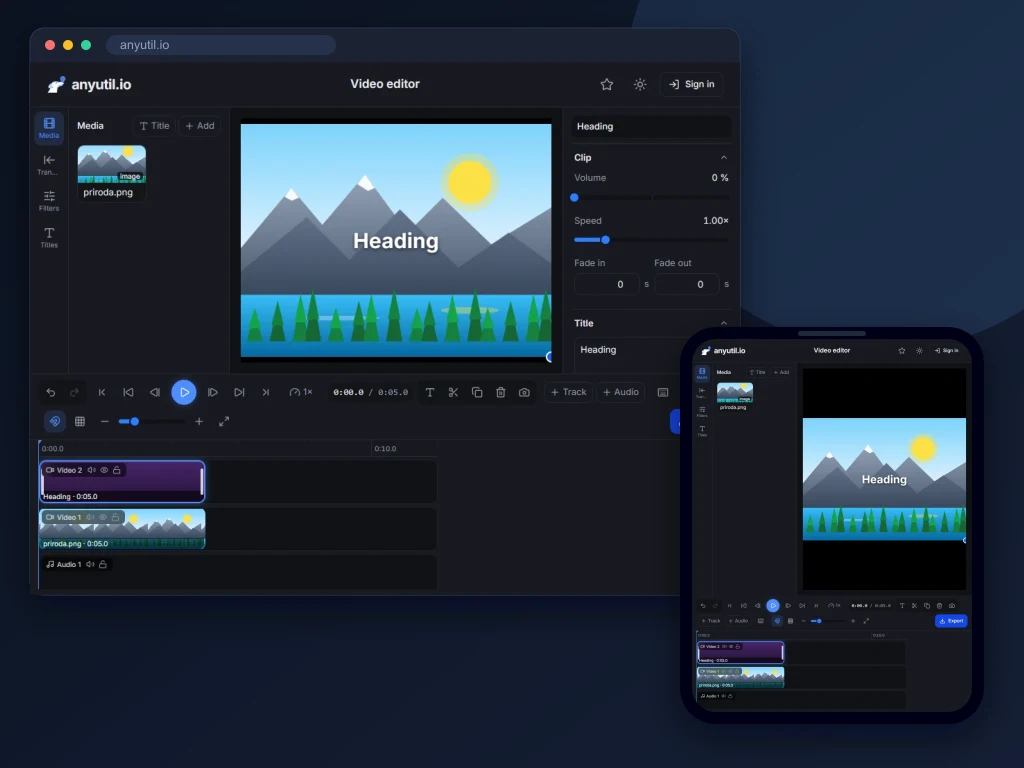
Open full screen
Runs in your browser, your files stay on your computer.
- Runs right in your browser
- Free, no sign-up
More about Video editor
Video editing in the browser, with nothing to install and no watermark
The editor works the way desktop editing programs do: a magnetic multi-track timeline, keyframes, transitions, colour grading, masks, automatic captions and an audio mix. Save the result as MP4, WebM, GIF, MP3, WAV or PNG. Editing is non-destructive: the original files stay untouched, you only change how the video is assembled from them.
Your browser renders the preview and the export; your videos are never uploaded. Browsers with WebCodecs (such as current Chrome or Edge) use the graphics card, so ten seconds of 1080p video take about a second and a half on a reasonably equipped computer. The editor is free, needs no account and adds no watermark.
How to edit a video, step by step
- Add your files. Drop video, images and audio into the library, record your screen or camera, or start from a project template. A file can be up to 100 MB for free, or up to 1 GB with a Premium account.
- Lay the clips on the timeline. The main track is magnetic: clips on it stay flush, and deleting one closes the gap by itself. Tracks above it carry overlays, text and picture-in-picture; music and voice-over go below.
- Cut. Drag an edge to trim a clip, press S to split it at the playhead, and Q or W to trim its start or end to the playhead. Snapping keeps clips flush with each other, with markers and with the beat of the music.
- Add transitions, text and effects. Drag a transition from the library between two clips and a filter or effect onto a clip, and press T for a title. The Properties panel sets the colour, speed, mask, motion or text animation of the selected clip.
- Polish the audio. Volume and fades, loudness normalisation, ducking of music under speech, voice effects, noise reduction and sound effects from the built-in library.
- Export. Pick the format, resolution, frame rate and quality, or go straight to a preset for YouTube, Shorts, TikTok, Reels, Instagram, Facebook, WhatsApp or X. Estimates of the file size and the export time show before you start.
What the editor can do
Timeline and cutting
- Tracks: several video, audio and caption tracks stacked up, a magnetic main track, moves that insert or overwrite, and solo, mute and lock per track.
- Editing tools: ripple, roll, slip and slide trims, a blade for one track or all of them, and delete with close gap.
- Markers and ranges: markers at the playhead, In and Out points to export only part of the project, an overview of the whole timeline when zoomed in, frame stepping, and J, K, L for playing backwards, pausing and speeding up.
- Working with clips: copy and paste clips and their attributes (Ctrl + Alt + C and V), duplicate, rename and colour-label them, align and distribute them on the canvas.
- Edit history: 200 undo steps, each with a readable name, a history panel to jump several steps at once, a command search (Ctrl + K) and keyboard shortcuts for everything that matters.
Picture, motion and speed
- Keyframes for position, scale, rotation, opacity and volume, with linear, ease in, ease out or ease in and out. Ready-made moves too: zoom in, zoom out, pans and Ken Burns for photos.
- Masks in six shapes (rectangle with rounded corners, ellipse, linear, mirror, star and heart) with a soft edge and invert, edited right on the canvas.
- Composition: crop, free rotation, flip, picture-in-picture in any corner, a frame with rounded corners, border and shadow, six blend modes, and a canvas background made of a colour, a gradient or an image.
- Speed from 0.1x to 10x, speed curves with ready-made ramps or your own points for slow and fast passages within one clip, optionally keeping the pitch. Reverse playback and freeze frames.
Transitions, colour and effects
- Over 40 transitions: crossfade, dip to black and to white, slides, pushes, fly-ins, wipes, zooms, shapes (circle, diamond, star, heart, clock, barn doors, blinds), whips, zoom blur, spin, glitch and pixelate.
- Colour: 11 adjustments (exposure, brightness, contrast, highlights, shadows, saturation, temperature, tint, sharpen, blur and vignette), 17 filters with adjustable strength, curves, per-colour hue, saturation and lightness, and your own LUT in .cube format.
- Green screen: chroma key with a colour picker on the canvas, similarity, edge softness and spill suppression, visible right in the preview.
- Video effects: RGB split, glitch, film grain, VHS, zoom blur, pixelate, mirror, kaleidoscope, flashes and letterbox bars, plus camera shake and a pulsing zoom. An adjustment layer applies colour and effects to everything below it.
Text and templates
- Text animations set separately for the entrance, a loop and the exit: fade, slide-ins, zoom, spring, spin, typewriter, word-by-word and letter-by-letter reveals, and loops such as pulse, heartbeat, float and swing.
- Fonts from the editor's library, your own uploads (TTF, OTF, WOFF, WOFF2) saved with the project, and, in browsers that allow it, the fonts installed on your computer.
- Animated text templates: big title, typewriter, lower thirds, a subscribe prompt, a quote and a countdown. Project templates for an intro, an outro, a vertical story and a photo slideshow.
- Stickers and shapes: emoji, arrows, circles, rectangles, lines, stars, hearts, checks and crosses, with your own colour, size and rotation.
Captions
- Automatic captions from speech in 99 languages or with language detection, optionally translated into English. The audio of the selected clip is sent to our server for transcription and deleted right after. It counts toward the same limit as audio transcription.
- Caption styles, including highlighting the word being spoken, and several caption tracks in one project (two languages, for example).
- Caption files: import SRT and VTT, edit single captions in a list and download them back as SRT or VTT. A caption is an ordinary text clip: move it, trim it or restyle it like anything else.
Audio
- Mixing: volume per clip and per track, fade in and fade out, volume keyframes, waveforms on the timeline, loudness meters and a limiter against clipping.
- Voice tools: loudness normalisation to −16 LUFS, ducking of music under speech, Enhance voice in one switch, noise reduction of steady noise into a new file, an equalizer, pitch shift, and robot, radio, telephone, echo, deep voice and chipmunk effects.
- Sound effects: 20 built-in sounds, from whooshes and impacts to clicks, a bell or a ticking clock.
- Text to speech: a voice-over read from typed text or from your captions, with a choice of voice and speed. The text is sent to our server and to Microsoft's voice service, and the same daily limit applies as in the text to speech tool.
Smart editing
- Remove silences: the editor finds the pauses in speech and cuts them out of the linked picture and captions too, and can shift the other tracks along. You can also just mark the silences with markers and go through them by hand.
- Remove filler words such as “um” and “uh”, based on automatic captions, with a list of every match to untick before cutting.
- Split at scene changes: the clip is cut wherever the shot changes.
- Music beats: the editor marks the beats in a song, clips snap to them, and a clip can be cut every one, two, four or eight beats, or its cuts moved to the nearest beat.
Recording
Record your screen, your camera or both at once (the camera in a corner of the screen recording), and a voice-over into the microphone, even while the video plays. The recording stays in your browser and lands on the timeline at the playhead. Phones cannot record the screen; the camera and microphone work.
Export
- Formats: MP4 (H.264), WebM, GIF (no sound, at most 15 frames per second and 640 pixels wide), audio-only MP3 and WAV, the current frame as PNG and a PNG image sequence in a ZIP.
- Resolution: 480p, 720p and 1080p for free, 1440p and 4K with a Premium account; 24, 25, 30, 50 or 60 fps, three quality tiers, and with Premium a custom bitrate.
- Presets for YouTube, Shorts, TikTok, Reels, Instagram square and portrait, Facebook, WhatsApp and X set the aspect ratio, resolution, quality and social media loudness (−14 LUFS) at once.
- Part of a project: export only the range between the In and Out points or the selected clips, with size and time estimates up front.
Projects
- Unfinished projects save themselves in the browser as you work, with their files and the latest steps of the edit history. The editor's start screen lists them all to open, rename or duplicate.
- Project file: download a ZIP with the media and open it on another computer.
- Save to account: your account keeps the edit and small media up to 2 MB; large videos stay with you and are matched back to the project by name and size when you open it.
On a phone
The editor works on phones too. A bar at the bottom switches between media, text, audio, effects and editing, and a selected clip gets its own bar for split, speed, volume and animation. Pinch to zoom the timeline, long-press a clip to open its menu. A project on a phone starts at 720p: you will not see the difference on a small screen and the export is quicker.
Where the limits are
- Browsers without WebCodecs. The export there runs through ffmpeg.wasm on a single thread: a 1080p video takes about five times as long as it runs, the resolution tops out at 1080p, and voice effects, curves, LUTs, video effects, adjustment layers, blend modes and speed curves are simplified or left out. The export window tells you beforehand.
- Project length. A large result is written to the browser's storage as it renders, so a computer copes with longer videos. A phone has less memory; export longer projects on a computer. If all you need is a smaller file or one section cut out, the leaner video compression and video trimming tools are the better fit.
- File size. 100 MB per file for free, 1 GB with a Premium account. A video the browser cannot play (AVI, WMV and the like) needs converting to MP4 first in the video converter.
- What is missing. Object tracking, stabilisation, background removal without a green screen, echo removal and a music library.
Privacy
Your videos, images and audio stay in your browser. Decoding, editing and encoding the result all happen on your computer or phone, and your videos are never uploaded. Only what you start yourself leaves it: automatic captions send the audio of the selected clip to our server for transcription, where it is deleted right after, and text to speech sends the text to our server and Microsoft's voice service. Screen and camera recordings stay in your browser. Unfinished projects are kept in the browser's own storage on your device; a project reaches your account only when you save it there.
Frequently asked questions
Is the editor free?
Yes, all of it, with no account and no watermark. Your browser does the editing and the export, so it costs us nothing we would need to charge for. A Premium account raises the file size limit from 100 MB to 1 GB, unlocks 1440p and 4K export and a custom bitrate, removes the daily and monthly limits on automatic captions and text to speech, and keeps a hundred projects in your account instead of three.
Does it upload my video?
No. The editor opens it in the memory of the tab and does all the work in your browser. Only two things go to a server: the audio of a clip you ask to caption automatically (deleted after transcription) and text you have read out by text to speech. When you save a project to your account, it stores the edit and small media up to 2 MB, not large videos.
How do automatic captions work, and what happens to the audio?
The editor takes only the audio out of the selected clip and sends it to our server, where a speech recognition model transcribes it. The audio is deleted right after transcription, and the server never receives the picture. The captions land on the timeline as text clips with the timing of every word, so word highlight styles work too. It handles 99 languages, can detect the language itself and can translate the speech straight into English. Captions count toward the daily audio transcription limit; with Premium there is no limit.
How do I add captions from a file?
Import a finished SRT or VTT file. The captions appear on the timeline as text clips you can move, trim or rewrite, and you can download them back as SRT or VTT at the end. They are burned into the video when you export.
How fast is the export?
In browsers with WebCodecs, such as current Chrome or Edge, the graphics card assembles the picture: ten seconds of 1080p take about a second and a half on a reasonably equipped computer. Without WebCodecs the editor exports through ffmpeg.wasm, and a 1080p export then takes about five times as long as the video runs. Keep the tab open in the foreground while it exports: browsers slow down work in background tabs.
Which formats can I export to?
Video as MP4 (H.264) or WebM, animation as GIF, audio as MP3 or WAV, and pictures as PNG, a single frame or a whole image sequence in a ZIP, at 24, 25, 30, 50 or 60 frames per second. In: common video, audio and image files; a GIF is converted to video when added.
Can it export in 4K?
Yes, with a Premium account: 1440p and 4K in browsers with the fast WebCodecs export. On the free plan you export at 480p, 720p and 1080p. When the source is smaller than the chosen resolution, the export window marks it as an upscale, which does not make the picture any sharper.
Does it work on a phone?
Yes. A bar at the bottom switches between media, text, audio, effects and editing, and a selected clip gets its own bar with the most common edits. Pinch to zoom the timeline and long-press a clip for its menu. A project on a phone starts at 720p, and we recommend exporting longer videos on a computer. Phones cannot record the screen; the camera works.
Will I lose my work if I close the tab?
No. The editor keeps saving the project, files and the latest history steps included, to browser storage on your device, so you can carry on and still undo after reopening it. Unfinished projects are listed on the start screen of the editor. The exception is a private window, whose storage the browser clears when it closes. For another computer, download the project file or save the project to your account. Do download the finished video after exporting: the project is saved, not the result.
How many steps can I undo?
Up to 200. The Edit history panel lists every step by name, and one click jumps several steps at once. The latest 50 steps are saved with the unfinished project, so they survive closing the tab.
Can it remove background noise?
Yes, steady background noise such as a fan, hum or microphone hiss. Noise reduction creates a new audio file and the original stays in the library. The Enhance voice switch also removes rumble, evens out the dynamics and levels the speech. The editor cannot remove room echo.
Can I make a vertical video from a horizontal one?
Yes. Switch the aspect ratio of the project to 9:16, or pick the Shorts, TikTok or Reels preset. Then crop the clip, or zoom and pan it, so the part that matters stays in frame, and if the action moves, follow it with keyframes. One edit gives you a YouTube version and a Reels version.
Related tools
- Compress a videoShrink a video to a target size or by quality.
- Remove audio from a videoDrop the sound track without touching the picture.
- Add audio to a videoLay music and voice-over under a video on a timeline, across several tracks.
- Convert a videoMP4, WebM, MKV, MOV, AVI, WMV, MPG, 3GP, FLV, TS and OGV, in your browser.